


Live Weather: Daily Forecast
4.3745.00 Reviews
App Specs
- Version
- 1.3.25
- Updated On
- License
- Free
- Downloads
- 5,000,000+
- Developer
- WINDWAVE LIMITED
- Categories
- Weather
- Platform
- Android
Screenshots
 Analysis by AppCompare
I find a weather app most useful when it helps me make a small decision quickly: whether to take a coat, leave earlier, or move a walk to another part of the day. Live Weather: Daily Forecast is built around that everyday need, with current conditions and forecast details gathered in one place. It is a free weather app from WINDWAVE LIMITED, and its straightforward focus makes it easy to understand what it is for before you build it into your routine.
Using the forecast in everyday life
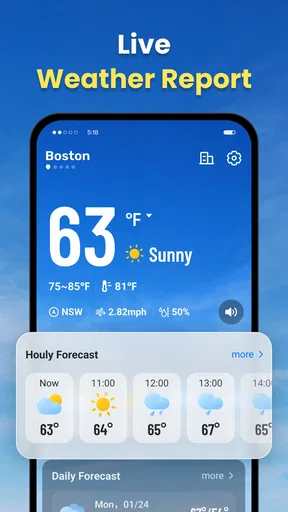
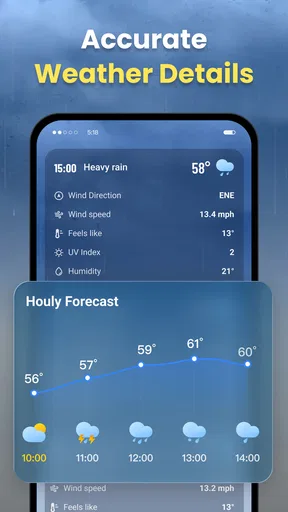
For a typical morning, I would start with the current conditions, then check the hourly outlook before choosing what to wear or deciding how to travel. That second step matters: a pleasant-looking morning does not tell me whether rain or a temperature change is likely later. The hourly view is useful for fitting plans around those changes instead of treating the day as if the weather will stay the same.
Imagine I have a walk planned after work. I can look at the forecast for the hours around that time, compare it with the conditions now, and decide whether to bring a light layer or shift the walk earlier. The app is most helpful in this kind of ordinary planning, where a timely overview is more valuable than a long explanation of meteorology.
It can also help with plans that depend on daylight. Sunrise and sunset times give useful context when I am arranging an early outing or trying to finish an outdoor task before it gets dark. Humidity and wind speed add another layer to the temperature reading: on a breezy day, or when the air feels damp, the number alone may not match how comfortable it will be outside.
Hourly forecasts, alerts, and radar in practice
The hourly forecast is one of the app’s most practical tools. Rather than checking only once and assuming the conditions will hold, I can use it to choose a better window for a run, an errand, or a stroll. This is a simple habit, but it makes the forecast more actionable: I am looking for the part of the day that suits the plan, not just asking whether the day is “good” or “bad.”
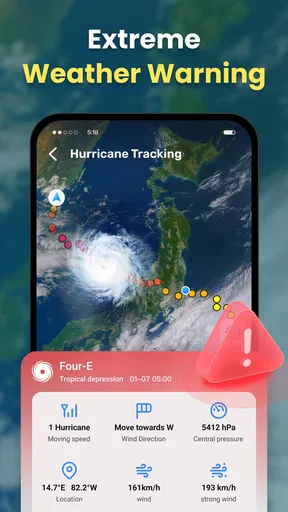
Customizable alerts can make the app more useful when I do not want to keep opening it. A temperature threshold may be handy if a cold spell would change what I wear, while a storm notification could prompt me to reconsider an outdoor plan. I would keep alerts focused on conditions that genuinely affect my decisions. Too many notifications can turn a helpful forecast into background noise, so choosing a small number of relevant triggers is the better approach.
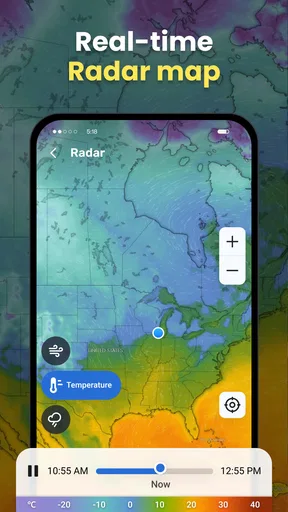
The radar has a different role from the hourly view. I can use it to get a visual sense of weather patterns when timing matters, such as deciding whether to wait before leaving. It is worth treating that display as a planning aid rather than a guarantee about the exact conditions at my location. If I am on a weak mobile connection, the radar may take longer to load, so I would check it before heading somewhere with unreliable service rather than waiting until I am already outdoors.
Worth Reading Before You Choose

Switching to Android Auto Means Rethinking Your Driving Routine

Google Calendar Makes a Crowded Week Easier to Manage

Baby Panda World Brings Quick Play to Modern Phones, but Its Game Library Feels Busy

ESPN’s Live Game View Makes Following Close Games Easier

QuizzLand Review: A Good Fit for Short Trivia Breaks, Not Every Player

Basketball Stars: Multiplayer Is Fast, but Can It Recover When Matches Go Wrong?
How it fits among weather apps
Compared with a basic weather screen that gives only the current temperature and a brief outlook, this app brings together more of the details I use to plan a day: hourly updates, alerts, radar, humidity, wind, and daylight times. That makes it a stronger fit for someone who wants to check conditions at a few points during the day without switching between separate tools.
It is not necessarily the right choice for every weather need. Someone who wants specialist forecasting, extensive historical records, or a highly technical set of atmospheric measurements may prefer a service designed around those tasks. Likewise, if all I need is a quick glance at the temperature, a simpler built-in weather option may be enough. The value here is in having several practical views together, not in replacing every dedicated weather resource.
For outdoor plans where safety depends on changing conditions, I would not make a consequential decision from one screen alone. I would check the forecast close to departure, pay attention to alerts, and use another trusted source when the stakes are high. The app works best as a convenient everyday guide; a radar image or hourly estimate should not be mistaken for certainty.
A sensible routine for getting more from it
One useful approach is to check the hourly forecast when making the plan, then revisit it nearer to the time if the weather could change what I do. That avoids repeatedly refreshing the app without a clear purpose. For a commute, I might check before leaving home; for a longer outdoor outing, I would look at the relevant hours and keep an eye on any alert that could affect the plan.
I would also use the extra details selectively. Wind speed can matter more than a small temperature difference for cycling or a waterside walk, while sunrise and sunset are especially relevant when an activity may run late. Humidity can help explain why a day feels uncomfortable even when the temperature seems manageable. These details are most valuable when tied to a specific decision, rather than treated as numbers to inspect every time I open the app.
Who should choose it—and who may not need it
I can see this working well for people with flexible routines, commuters who want to choose clothing or departure timing, and anyone who plans walks or casual outdoor activities around the forecast. It is also a reasonable choice for someone who likes having both a quick overview and a few more detailed ways to check the day. The content rating is Everyone, and the app is available at no upfront cost, making it easy to try as a daily weather companion.
It may be less appealing if I want an ad-free experience from the outset, since ads can appear. The app offers in-app purchases, with listed item prices ranging from $2.99 to $49.99; I would check what a purchase includes before paying rather than assuming a particular plan removes a specific limitation. People who rarely consult forecasts, or who already rely on a specialist weather service, may not get enough extra value from adding another app.
For a reader wondering whether it can help plan the whole day, the hourly view and the extra condition details make that a reasonable use. If the question is whether the radar will always load instantly, my experience in the published review was that it could be slow on a poor data connection. If alerts sound useful, they are customizable, but I would set only the thresholds that matter to avoid unnecessary interruptions. And if cost is a concern, the app itself is free, while optional in-app purchases are available.
What its release and current version tell me
The app was released on December 27, 2024, and its current version is 1.2.25. That gives a concrete point of reference for its current state, but a version number alone does not tell me which individual features have changed or how they have evolved. I would separate that confirmed release and version information from any expectation about future improvements.
For existing users, the practical question is whether the current experience still suits the way they check the weather: are the hourly forecast, alerts, and radar useful enough to keep in their routine, and does the ad-supported free experience feel acceptable? I would judge an update by changes that affect those everyday tasks, such as easier access to the forecast or more dependable loading, rather than by a new version number on its own.
Looking ahead, the areas I would watch are the reliability of radar on weaker connections, the balance between useful alerts and interruptions, and the clarity of the purchase options. Those are the points most likely to shape whether I keep reaching for the app. They are expectations to assess as the product develops, not claims about changes that have already happened.
First impressions and daily navigation
The first thing that struck me about Live Weather: Daily Forecast is its sleek and user-friendly interface. It's one of those apps that just feels intuitive from the get-go. The design is clean, with a lovely balance of graphics and information that doesn't overwhelm you. I really appreciate how easy it is to navigate; everything you need is just a tap away.
Features that stand out
Now, let's dive into what makes this app a keeper. One of the standout features is the hourly weather updates. It's incredibly handy to have a detailed breakdown of the weather throughout the day. Whether you're planning a morning run or an evening stroll, you can see exactly when those rain clouds might roll in.
Another feature I love is the customizable alerts. You can set up notifications for specific weather conditions, like when the temperature drops below a certain point or when a storm is approaching. It's like having your own personal weather assistant!
The useful details beyond temperature
Aside from the essential weather forecasts, the app provides extra details like humidity levels, wind speed, and even sunrise and sunset times. These may seem like small touches, but they really enhance the overall experience. I find myself checking them out more often than I expected.
Oh, and did I mention the radar? The live weather radar feature allows you to see weather patterns in real-time. It's pretty mesmerizing if you’re a weather geek like me. Plus, it's super helpful for planning outdoor activities.
Where the experience can fall short
Though I'm a fan, no app is perfect. I did notice that sometimes the radar can be a bit slow to load, especially if you're on a spotty data connection. It's nothing major, but something to keep in mind if you're relying on it while on the move.
Also, while the app is free, there are ads that can pop up here and there. They’re not too intrusive, but if ads are a pet peeve of yours, you might consider the premium version to get rid of them.
My take for everyday use
Overall, Live Weather: Daily Forecast is a fantastic app for anyone who wants to stay ahead of the weather. It’s got all the bells and whistles to keep you informed, and the user experience is top-notch. Whether you’re a casual weather checker or a full-blown weather enthusiast, this app has something to offer. So, grab your phone, download it, and see how it fits into your daily routine. You might just find it as indispensable as I do!
Pros
- Accurate and real-time weather updates.
- User-friendly interface with intuitive navigation.
- Customizable notifications for weather alerts.
- Detailed forecasts including hourly and weekly outlooks.
- Interactive radar maps for visual weather tracking.
Cons
- Premium features require a subscription.
- Ads can be intrusive for free users.
- Occasional lag in loading weather data.
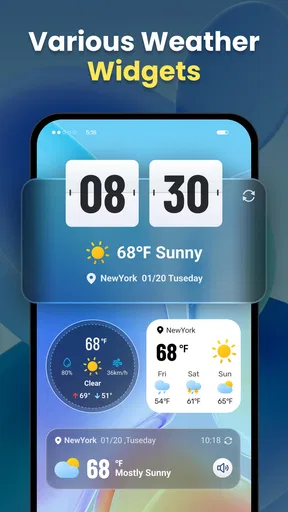
- Limited widget customization options.
- Some features need constant internet access.
FAQs for Live Weather: Daily Forecast
What features does Live Weather: Daily Forecast offer?
Live Weather: Daily Forecast provides real-time weather updates, including temperature, humidity, wind speed, and precipitation forecasts. Users can also access hourly and 7-day forecasts, weather alerts, and radar images. The app includes a user-friendly interface with customizable widgets for quick access to weather information.
Is Live Weather: Daily Forecast free to use?
Live Weather: Daily Forecast offers a free version with basic features. However, it also includes a premium version available through in-app purchases, which provides an ad-free experience and additional features such as extended forecasts, advanced radar options, and personalized weather alerts.
How accurate is the weather information provided by the app?
The app sources its data from multiple reliable weather services to provide accurate forecasts. While it strives for precision, users should note that weather predictions can vary due to unpredictable atmospheric conditions. The app regularly updates its information to reflect the most current data available.
Can I customize the weather alerts in Live Weather: Daily Forecast?
Yes, users can customize weather alerts to receive notifications for specific conditions, such as severe weather warnings, temperature changes, or precipitation alerts. The app allows you to tailor these settings based on your preferences and location, ensuring you receive timely information relevant to your needs.
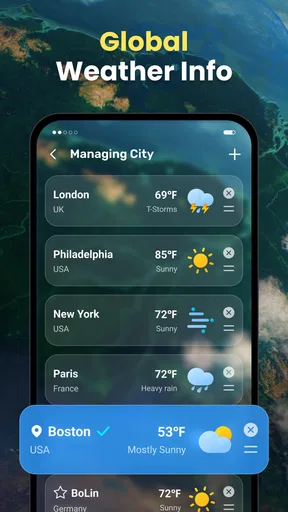
Does Live Weather: Daily Forecast support multiple locations?
Yes, the app supports tracking weather conditions for multiple locations. Users can easily add and switch between cities to view real-time weather updates and forecasts. This feature is particularly useful for individuals who travel frequently or want to monitor weather conditions in different areas.


